
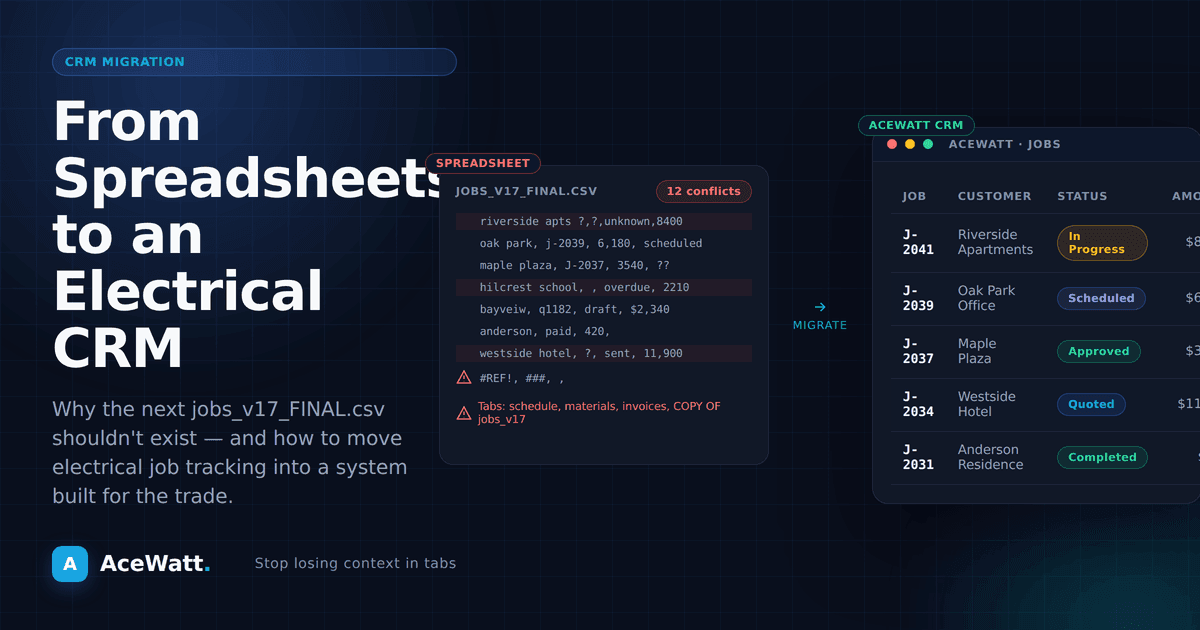
You didn't start your own electrical business to spend evenings hunched over a laptop, manually entering data into a spreadsheet. But here you are, updating rows, fixing formula errors, and trying to remember whether you followed up with that commercial client from last Tuesday.
If this sounds familiar, you're not alone. Most electrical contractors start out tracking jobs, customers, and estimates in spreadsheets. It works, sort of. But as your business grows, that spreadsheet becomes a liability. Leads fall through the cracks. Estimates get delayed. And every hour you spend wrestling with cells and formulas is an hour you're not on a job site earning revenue.
Here's the hard truth: spreadsheets are costing you jobs. And a CRM built specifically for electricians can change everything.
The Hidden Cost of Running Your Electrical Business on Spreadsheets
Spreadsheets feel free. You already have Excel or Google Sheets, so there's no new software to buy. That's why so many electricians default to them for customer management, job tracking, and estimating. But the "free" price tag hides some expensive problems.
1. Lost Leads and Missed Follow-Ups
When a new lead calls, what happens? If you're using a spreadsheet, someone has to manually enter that contact information, remember to set a reminder, and follow up at the right time. In practice, this breaks down fast.
A potential client calls about a panel upgrade. You jot their number on a scrap of paper, tell yourself you'll add it to the spreadsheet later, and head out to a service call. Three days pass. By the time you remember, they've already hired another electrician.
Research consistently shows that the average small business loses track of a significant portion of incoming leads simply because there's no system to capture and follow up on them. For electricians, where a single commercial contract can be worth thousands of dollars, even one lost lead hurts.
2. Slow Estimates That Kill Deals
Speed wins in the electrical contracting world. When a homeowner or property manager needs work done, they're usually getting multiple quotes. The contractor who delivers a professional estimate first often wins the job, even if the price isn't the lowest.
With a spreadsheet-based workflow, creating an estimate means opening a template, manually entering line items, calculating labor and materials, double-checking your math, and then copying everything into an email or PDF. That process can take 30 minutes to an hour per estimate. During busy seasons, estimates pile up, and response times stretch to days.
Meanwhile, the contractor using a CRM for electrical contractors can generate a detailed, branded estimate in under a minute and send it while still on the job site.
3. No Visibility Into Your Business
Your spreadsheet tells you what you've billed. But can it tell you:
- Which services are most profitable?
- Which customers haven't been contacted in 90 days?
- What your lead-to-close rate is?
- How many jobs you completed this month compared to last month?
Probably not without significant manual effort. Spreadsheets are flat. They don't connect the dots between leads, estimates, jobs, and invoices. You end up making business decisions based on gut feelings instead of data.
4. Collaboration Breakdowns
If you have a team, even just one other electrician or an office manager, spreadsheets create friction. Who has the current version? Did someone overwrite your changes? Is the file on the office computer or someone's personal laptop?
Multiple people editing one spreadsheet is a recipe for errors, duplicated work, and frustration. And if you're using separate spreadsheets for contacts, jobs, estimates, and invoicing, nothing connects. You're running four disconnected systems that all require manual data entry.
5. The Scalability Wall
Spreadsheets work for a solo electrician with a handful of recurring clients. They don't work when you're managing 20 active jobs, tracking 50 leads, coordinating a small team, and trying to grow revenue year over year. At that point, the spreadsheet becomes a bottleneck that actively slows you down.
What a CRM for Electricians Actually Does
A CRM, Customer Relationship Management system, is software designed to manage every interaction you have with current and potential customers. But a CRM built specifically for electricians goes further. It understands your workflow, your terminology, and your business model.
Here's what the right electrician job management software handles:
Centralized Customer Management
Every customer, past, current, and prospective, lives in one place. Contact details, job history, communication logs, and documents are all attached to the customer record. No more digging through old emails or scrolling through phone call logs to figure out when you last replaced someone's breaker panel.
Automated Follow-Ups
When a new lead comes in, the CRM captures it instantly in the lead pipeline. Automated follow-up covers overdue invoices: email reminders go out at 1, 7, 14 and 30 days late, so unpaid work does not fall through the cracks.
Fast, Professional Estimating
Instead of building estimates from scratch every time, a CRM stores your service catalog, labor rates, and material costs. You select the services, and the software generates a professional, branded estimate ready to send. With AI-powered tools like those in AceWatt, you can dictate a job walk and have AI Estimating draft a quote from it for your review.
Job Scheduling and Dispatch
Drag-and-drop scheduling. Assign jobs to team members. See everyone's calendar at a glance. Customers get automatic notifications when a technician is on the way. No more texting back and forth to coordinate arrival times.
Invoicing and Payment Collection
Jobs flow directly into invoices. Customers can pay online with a credit card. No more chasing payments or printing and mailing paper invoices that take weeks to get paid.
Reporting and Business Intelligence
Know your numbers. Revenue by month, lead sources, close rates, average job value, outstanding invoices, all available in real-time dashboards instead of hours spent pivot-tabling spreadsheet data.
How to Know It's Time to Switch
Still not sure if you need to ditch the spreadsheet? Here are some clear signs:
- You've lost a job because you were too slow to send an estimate. This is the most common trigger. If speed-to-quote is losing you deals, a CRM can be easier to justify because it helps you respond before the opportunity goes cold.
- You can't remember the last time you followed up with past customers. Existing customers are your most profitable revenue source. If you're not staying in touch, you're leaving money on the table.
- Your spreadsheet has more than 200 rows and it takes longer to find information than to re-enter it. This is the scalability wall. You've outgrown the tool.
- You have a team and nobody can agree on which spreadsheet is the "real" one. Collaboration breakdown means it's time for a centralized system.
- You're spending more than 2 hours per week on admin work. That's 100+ hours per year you could spend on billable work, or with your family.
The Business Case for Switching to a CRM
Let's talk numbers. A CRM for electricians like AceWatt is competitively priced. Check the current pricing page for plan details. If you're a smaller shop weighing your first real tool, our electrical contractor software for small business guide compares the options side by side. Here's what that investment can return:
Faster estimates: If you currently spend 45 minutes per estimate and a CRM cuts that to 5 minutes, you save 40 minutes per estimate. At 10 estimates per week, that's over 6 hours saved per week, time you can spend on billable work.
Higher close rates: Faster follow-ups and professional estimates can improve close rates, but the impact depends on your lead volume, pricing, and how consistently you use the workflow. Run the numbers against your own average job value before assuming a subscription will make financial sense.
Faster payments: Online invoicing with integrated payment processing can shorten the path to payment when that feature is enabled. Instead of relying only on mailed checks, contractors can give customers a clearer way to pay and then track payment status in one place.
Reclaiming billable hours: Every hour you spend on admin is an hour you're not generating revenue. If a CRM saves you 5 hours per week and your billable rate is $100/hour, that's $2,000/month in reclaimed capacity.
Making the Switch: It's Easier Than You Think
One of the biggest reasons electricians stick with spreadsheets is fear of the transition. "It'll take too long to set up." "I don't have time to learn new software." "What about all my existing data?"
Here's the reality: modern CRM platforms are designed for fast onboarding. AceWatt, for example, is built for electrical contractors, not tech companies. The interface is intuitive, the setup process is guided, and you can import your existing spreadsheet data directly. Field crews usually start with the voice job walk app — talk through the site walk, and the notes land in the CRM as structured job records.
Most electricians can get the core workflow running within a day. The setup time is often easier to justify when it helps you send estimates in minutes instead of rebuilding every quote by hand.
Steps to Migrate from Spreadsheet to CRM
- Export your spreadsheet data. Most CRMs accept CSV imports. Export your contacts, job history, and any other data you want to bring over.
- Set up your service catalog. Enter your common services, labor rates, and material pricing. This becomes the foundation for fast estimating.
- Import your contacts. Upload your customer list. The CRM will organize everything automatically.
- Create your first estimate. See how fast it is compared to your spreadsheet workflow.
- Send your first invoice. Experience the difference of integrated payments.
Why AceWatt Is Built Different
Generic CRMs like Salesforce or HubSpot are powerful, but they're built for tech companies and large sales teams. They're expensive, complex, and loaded with features you'll never use. General contractor tools like Jobber or Housecall Pro are better, but they're designed for all trades, plumbers, landscapers, HVAC, and everyone else.
AceWatt is built specifically for electrical contractors. That means:
- Electrical-specific service templates and estimating tools
- Voice AI that understands electrical terminology: dictate a job walk hands-free, and AI Estimating drafts the estimate for your review
- Job walk documentation built for electrical inspections and code compliance
- Pricing and features designed for solo electricians and growing teams alike
- AI-powered follow-ups and customer communication
Plan pricing and trial terms can change, so verify current details on the pricing page.
Stop Losing Jobs to a Spreadsheet
Every day you spend managing your electrical business in a spreadsheet is a day you're operating below your potential. Leads slip away. Estimates go out late. Revenue stalls. And you spend your evenings doing admin work instead of enjoying the freedom that made you start your own business in the first place.
A CRM for electricians isn't a luxury, it's the operating system for your business. It handles the busywork so you can focus on the work that matters: serving your customers and growing your revenue.
Ready to see the difference? Start your free 14-day trial of AceWatt and discover how much time, and money, you've been leaving in that spreadsheet.
Want to see how AceWatt compares to other options? Check out our comparison of Jobber vs Housecall Pro vs AceWatt for electrical contractors.
For current plan options, compare tiers on the AceWatt pricing page.
If faster quote turnaround is a priority, review automated estimating for electricians.
Related Reading
- CRM that tracks drop-offs and change orders
- More head-to-head comparisons → electrician software comparison hub