
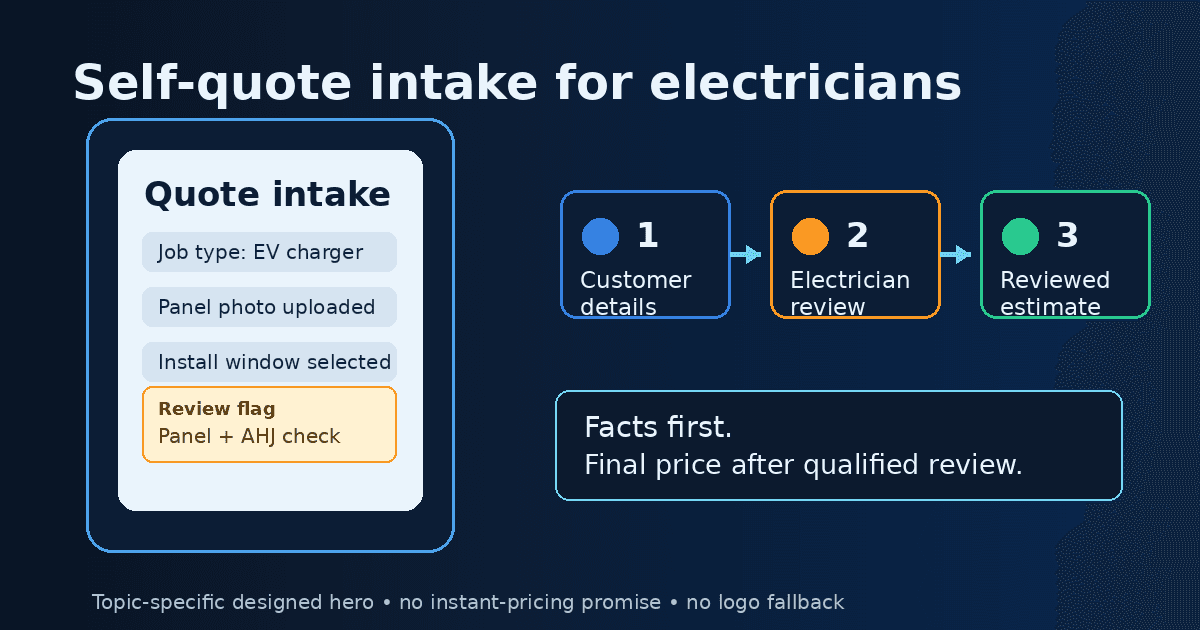
Customer self-quoting software for electrical contractors helps homeowners and commercial customers submit quote-ready information before an electrician spends time on callbacks. For electrical work, a safer version is not blind instant pricing for every job. It is guided intake that collects useful details, flags risky scope, and helps the contractor prepare a reviewed estimate.
Direct answer: Customer self-quoting software for electrical contractors collects job details, photos, site information, urgency, and preferences online so an electrician can prepare a quote with better context. For electrical work, useful systems rely on structured intake and qualified human review instead of automatically pricing complex, unsafe, or code-sensitive jobs.
Customer Self-Quoting Software: Quick Fit Checklist
Use self-quote intake when the job is repeatable enough for a customer to describe. Use review gates when the work could affect safety, compliance, or margin.
| Job or workflow | Good self-quote intake? | Review rule |
|---|---|---|
| EV charger request | Often, if photos and distance details are required | Electrician reviews panel, access, permit, and load questions before final price |
| Ceiling fan or fixture replacement | Often | Confirm box support, ceiling height, customer-supplied parts, and access |
| Outlet or switch replacement | Often | Block instant pricing if burning, heat, no power, aluminum wiring, or repeated tripping is reported |
| Panel upgrade or service change | Intake only | Require licensed review and likely site visit before price commitment |
| Emergency no-power call | Intake only | Prioritize triage and safety, not automated quoting |
| Commercial lighting or tenant work | Intake only or partial | Review plans, access, operating hours, permits, lift needs, and phasing |
This distinction is the core of electrical quote intake: make simple jobs easier to describe without pretending every electrical problem can be priced safely from a form.
What Is Customer Self-Quoting Software for Electrical Contractors?
Customer self-quoting software lets a prospect answer guided questions about an electrical job, upload photos or videos, choose urgency, and submit details that help the contractor respond. In some industries, self-quoting means the customer receives an instant price. In electrical work, that definition needs guardrails.
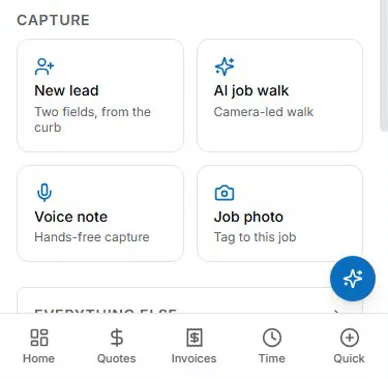
A safer model is self-service quote intake. The customer does the first round of information gathering. The electrician or office team reviews the details, asks follow-up questions, and prepares an estimate using verified scope. This can help reduce back-and-forth on common jobs while keeping pricing judgment with the contractor.
Self-quoting is also different from an estimate template or a calculator. A form captures customer information. A calculator helps price labor, materials, overhead, and profit. A template presents a professional estimate. A complete workflow may use all three: intake first, pricing second, proposal third.
For related contractor-side tools, compare AceWatt's AI quote builder guide, automated estimating, AI job walk, bid calculator, estimate template, and CRM for electricians, or browse all free electrical contractor tools.
When Self-Quoting Works for Electrical Jobs
Self-quote intake works best when the work is common, the scope can be described by a customer, and the required photos are predictable. EV charger requests are a strong example. A form can ask for charger type, panel photo, parking location, distance from panel to charger, wall type, preferred mounting location, HOA or permit context, and whether the customer already purchased equipment.
Ceiling fan installation, outlet replacement, switch replacement, light fixture replacement, dedicated circuit requests, smart doorbell installs, and landscape lighting inquiries can also fit. The form should not promise a final price from a single answer. It should collect enough context to decide whether the job is likely simple, needs a phone call, or requires an in-person visit.
When Self-Quoting Should Block Instant Pricing
Electrical contractors should avoid instant blind pricing when the job includes safety symptoms, hidden conditions, code uncertainty, or major service changes. A quote intake form should route these jobs to review instead of trying to calculate a final price.
Block instant pricing for no-power calls, burning smells, sparks, overheated devices, repeated breaker trips, water near electrical equipment, old or unknown panel conditions, Federal Pacific or Zinsco panel concerns, aluminum wiring concerns, damaged service equipment, commercial or industrial scope, trenching, inaccessible spaces, or unclear customer photos.
Panel upgrades and service changes deserve special caution. The form can collect photos, amperage, utility context, desired loads, and project goals, but final pricing may depend on local code, utility coordination, grounding, meter work, permit requirements, inspection rules, and site conditions.
Commercial work should also be guarded. A request like “replace lights” may involve fixture counts, ceiling height, lift access, after-hours work, tenant coordination, disposal, controls, emergency lighting, and permits.
What Your Electrician Quote Intake Form Should Ask
A strong electrician quote intake form should feel easy for the customer but structured enough for the contractor.
Ask for contact information, service address, property type, requested service, urgency, preferred timing, contact preference, and whether the job is residential, commercial, property management, or new construction. Then branch into job-specific questions.
For EV chargers, ask for charger model, panel photo, parking photo, approximate distance, garage or exterior location, wall type, internet or load management needs if relevant, and whether permits or HOA approval are known. For panel work, ask for panel photos, main breaker rating if visible, symptoms, desired upgrade reason, utility or meter access, and whether new large loads are planned.
For troubleshooting, ask what lost power, when the issue started, whether breakers trip, whether there is smell, heat, buzzing, sparks, water, or recent work. For lighting, ask fixture count, ceiling height, existing controls, access, lift needs, and whether work must happen outside business hours.
Also include uploads for photos, videos, old quotes, plans, equipment labels, and customer notes when they help clarify scope. Because these records may include customer contact details, property photos, access instructions, and equipment information, contractors should confirm access controls, retention rules, export options, and deletion procedures before collecting more data than the job requires.
How AI Helps Convert Intake Into an Electrical Estimate
AI can help organize quote intake, but it should not replace electrician judgment. The useful role is summarization and preparation.
AI can summarize customer notes, identify missing information, group photos with the relevant job area, draft a scope statement, suggest follow-up questions, and prepare estimate-ready assumptions. It can also help separate “customer requested” from “contractor verified,” which matters when a quote moves toward approval.
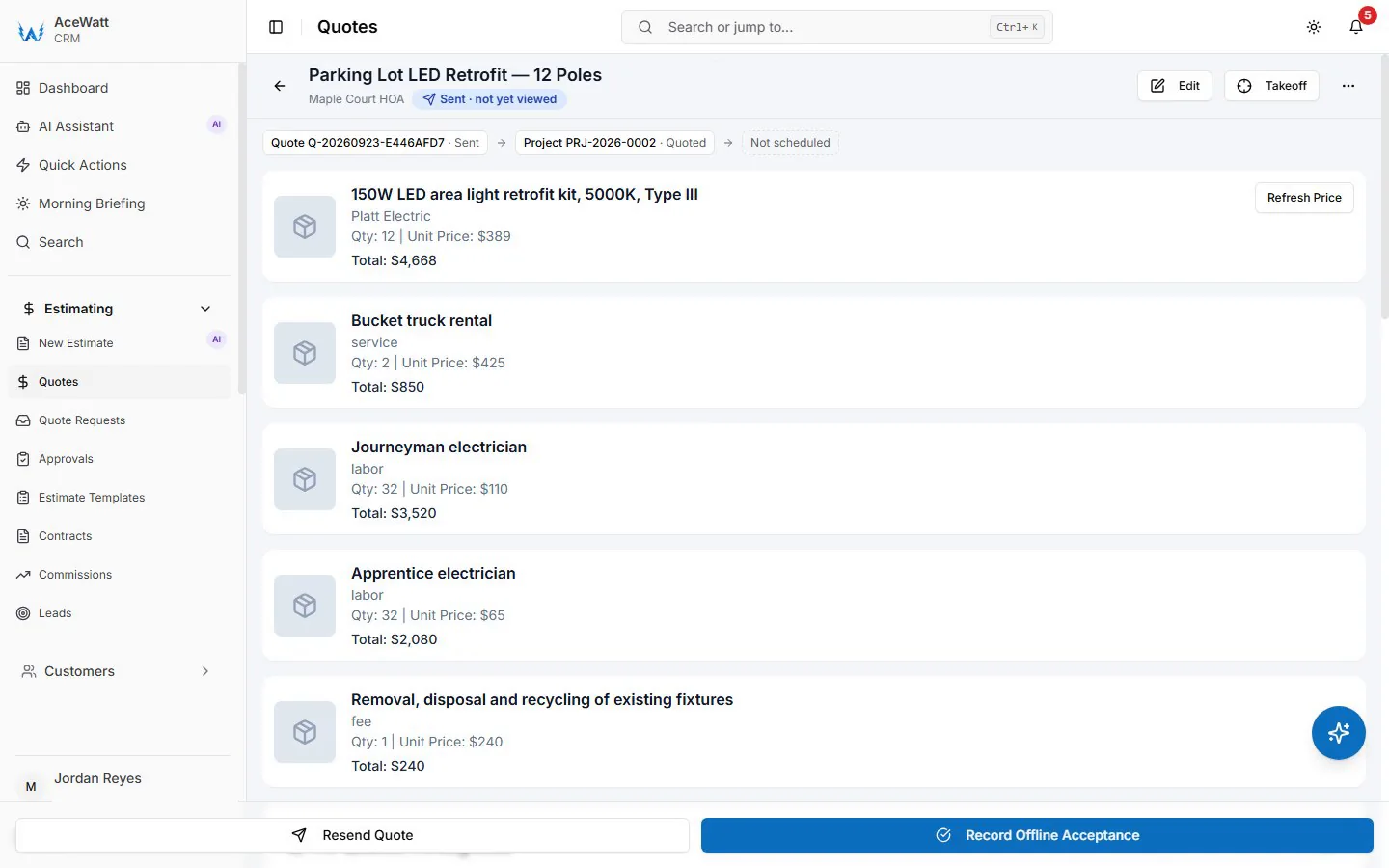
A practical AI step might say: “Customer submitted an EV charger request, panel photo, charger model, and garage distance. Missing details: panel amperage, mounting wall, permit jurisdiction, and trenching.” That is useful without pretending the system inspected the site.
AceWatt’s related public resources focus on contractor-side quote preparation: AI job walk, automated estimating, the bid calculator, and the estimate template. Use those as review and preparation tools, not as a promise that every customer can receive an unreviewed instant electrical quote.
Self-Quoting vs AI Quote Builder vs Estimate Template vs Bid Calculator
These tools can work together, but they do different jobs.
| Tool | Best for | Limitation |
|---|---|---|
| Self-quoting intake | Capturing customer details, photos, urgency, and job type from a website or intake workflow | Needs safety and scope controls before final pricing |
| AI quote builder | Summarizing intake and drafting scope or estimate-ready context | Needs electrician review before customer-facing use |
| Estimate template | Presenting approved scope and terms professionally | Requires accurate information before use |
| Bid calculator | Turning labor, materials, overhead, and profit assumptions into a price | Depends on accurate inputs and current costs |
For a contractor, the sequence can stay simple: intake gathers the facts, AI helps organize them, the calculator supports pricing, and the template presents a reviewed estimate. The process should not hide uncertainty. If scope is unknown, the workflow should ask for more information or trigger a site visit.
Example Workflow: EV Charger Quote Request
An EV charger quote is a good example because many inputs are predictable. The customer starts by selecting “EV charger installation.” The intake form asks for home type, charger model, whether the charger is already purchased, panel photo, parking location photo, approximate distance, desired mounting spot, preferred timing, and permit or HOA context.
AI or office review summarizes the request and flags missing details. If the panel photo is clear and the job appears straightforward, the contractor can prepare a reviewed estimate using a bid calculator and estimate template. If the panel photo is unclear, capacity is unknown, trenching is involved, or the charger is far from the panel, the workflow should request more information or schedule a site visit.
The customer experience may still improve because the first response can be specific instead of a generic callback.
Example Workflow: Panel Upgrade Request
Panel upgrade intake should not be treated like instant ecommerce checkout. The form can ask why the customer wants the upgrade, whether breakers trip, whether new loads are planned, panel brand and photos, main breaker rating if visible, utility access, meter location, and any inspection or permit deadlines.
The workflow should then route the request to qualified review. Depending on jurisdiction and site conditions, a panel upgrade may involve utility coordination, permits, grounding, labeling, service equipment, inspection timing, and outage planning. A self-quote form can make the first conversation more specific, but it should not guarantee price, timeline, or code outcome.
This safety nuance can help electrical contractors evaluate self-quoting tools more realistically. Speed is useful only if the quote remains controlled.
How AceWatt Fits a Safer Quote-to-Approval Workflow
AceWatt is best positioned around the contractor-side review layer of quote preparation: capturing job context, organizing scope notes, preparing estimate-ready inputs, and keeping customer or job records connected to the estimating workflow.
A customer’s answers can become a structured lead or job record after the contractor collects them through an approved intake process. Photos and notes can support job walk or estimate preparation. The contractor can use automated estimating, AI job walk, a bid calculator, or an estimate template to move from intake to a reviewed proposal. Related educational links can point readers to how to price electrical work and electrician software comparisons.
If a contractor needs customer-facing intake forms or instant pricing rules, those capabilities should be evaluated separately before relying on them for live customer quoting.
Buying Checklist for Electrical Quote Intake Software
When evaluating customer self-quoting software, ask these questions:
- Can the form branch by job type, such as EV charger, panel work, lighting, troubleshooting, or outlets?
- Can customers upload photos and videos from a phone?
- Can the system flag safety symptoms and stop instant pricing?
- Can intake connect to estimating, templates, CRM notes, or follow-up records?
- Can the contractor edit assumptions before sending an estimate?
- Can the workflow separate rough intake ranges from final approved quotes?
- Can the contractor control who sees customer photos, access notes, and property details?
- Can records be exported, retained for a defined period, or deleted when appropriate?
- Is the copy clear that electrical code, permits, and safety require qualified review?
- Does the software help the team respond with better context without training customers to expect unsafe guesses?
FAQ
Can electrical contractors offer instant online quotes?
Sometimes, but not for every job. Simple, repeatable jobs may qualify for online quote ranges or reviewed estimates after intake. Panel work, no-power calls, burning smells, code-sensitive work, commercial scope, or unclear photos should trigger electrician review before final pricing.
What information should customers provide for an electrical quote?
Customers should provide contact details, service address, property type, job type, symptoms, urgency, preferred timing, photos or videos, equipment information, access notes, permit or HOA context, and any prior quotes or plans. Job-specific forms should ask different questions for EV chargers, panel work, lighting, and troubleshooting.
Is AI quoting safe for electrical work?
AI can help summarize notes, identify missing details, and draft estimate-ready scope. Safety depends on keeping qualified electrician review in the workflow, especially for code-sensitive, hazardous, or complex work. Do not treat AI output as a substitute for inspection or professional judgment.
What is the difference between self-quoting and estimating software?
Self-quoting software captures customer-submitted job details. Estimating software helps calculate and present a price using labor, materials, overhead, profit, and scope assumptions. A good workflow connects intake to estimating but still allows the contractor to review and edit the quote.
What jobs are best for self-service quote intake?
Good candidates include EV charger requests, ceiling fans, fixture replacement, outlet or switch replacement, dedicated circuit inquiries, smart-home installs, and other repeatable jobs. Jobs with safety symptoms, hidden conditions, commercial complexity, or permit-heavy scope should use intake only and then route to review.
- More head-to-head comparisons → electrician software comparison hub
To see how customer self-quoting fits the wider platform, browse the AceWatt features overview.