
Running an electrical service business means juggling a lot of moving parts. Jobs get scheduled, rescheduled, and rescheduled again. Your electricians are scattered across town. Materials need to be ordered. Clients want updates. Invoices need to go out. And somehow you're supposed to keep track of all of it.
Field service software for electricians brings order to this chaos. It's a single platform that manages your scheduling, dispatch, work orders, invoicing, and customer communication, designed for the way service businesses actually operate.
This guide covers what field service software does, how it helps electrical contractors, and what to look for when choosing a platform.
What Is Field Service Software?
Field service software is business management software designed for companies that send workers to customer locations to perform services. For electrical contractors, that means a system built around the workflow of:
- Receiving a call or lead from a potential customer
- Scheduling a job walk or service call
- Dispatching an electrician to the job site
- Documenting the work performed
- Generating an invoice and collecting payment
- Following up with the customer
Each step connects to the next. Field service software links them all together so information flows through the system instead of getting lost between phone calls, texts, and sticky notes.
Core Features Electricians Need
Scheduling and Calendar Management
The scheduling module is the heart of any field service platform. It should include:
- Visual calendar: See all your jobs, electricians, and availability in one view
- Drag-and-drop scheduling: Move jobs between dates, times, and technicians easily
- Recurring jobs: Set up maintenance contracts and inspection schedules that repeat automatically
- Buffer times: Build in travel time between jobs so you're not chronically late
- Color coding: Visual distinction between job types, statuses, and technicians
- Multi-day jobs: Schedule jobs that span multiple days or require return visits
For solo electricians, a simple calendar works. For companies with multiple technicians, you need scheduling that can handle the complexity without creating conflicts.
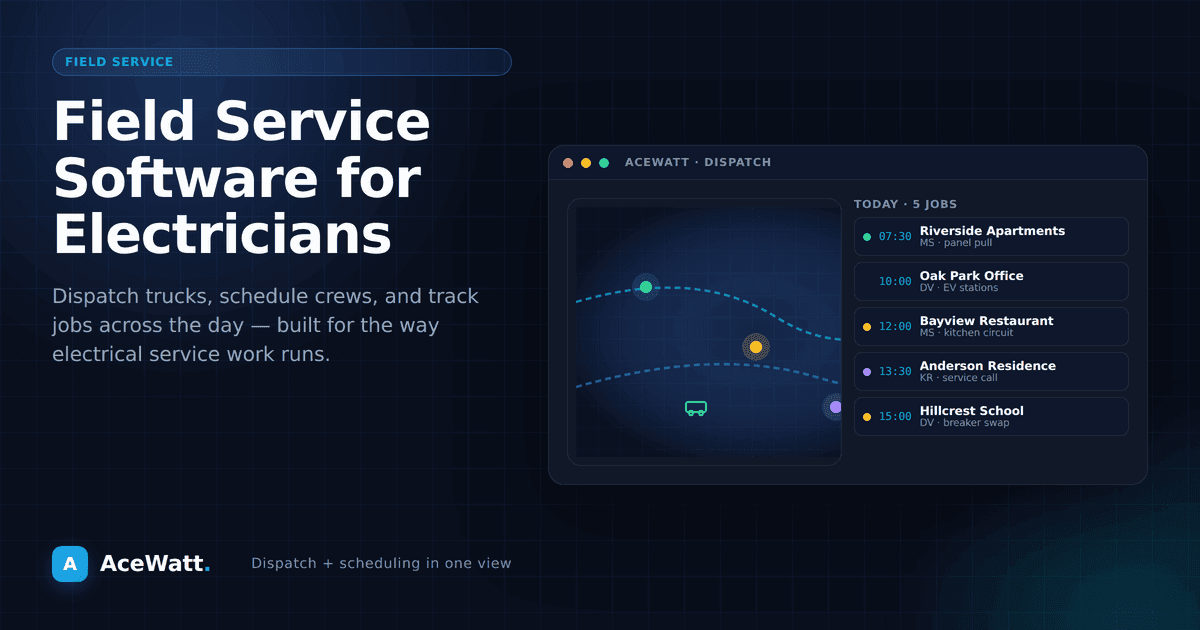
Dispatch and Route Planning
Getting the right electrician to the right job at the right time is harder than it sounds. Dispatch features help by:
- Assigning jobs based on location: Minimize drive time by dispatching the closest available technician
- Sending job details to the field: Electricians see everything they need on their phone: address, scope of work, client history, special instructions
- GPS tracking: Know where your crews are without calling them (with their knowledge and consent, of course)
- Real-time updates: Technicians can update job status (en route, arrived, completed) from the field
- Emergency dispatching: Slot urgent calls into the schedule and automatically adjust other appointments
Smart dispatch means fewer miles driven, more jobs completed per day, and less time spent coordinating on the phone.
Work Order Management
Work orders are the bridge between a scheduled job and a completed job. Good work order management includes:
- Auto-generation from estimates: Approved estimates become active work orders with one click
- Task checklists: Step-by-step lists for technicians to follow on each job
- Material lists: Everything needed for the job, pulled from the estimate
- Photo documentation: Before and after photos attached to the work order
- Completion notes: Technicians document what was done, any issues, and recommendations for follow-up
- Client sign-off: Digital signature capture when the job is complete
Customer Management (CRM)
Your relationship with a customer doesn't end when the job is done. A field service CRM tracks:
- Contact information: Name, address, phone, email, preferred contact method
- Job history: Every job you've done for this customer, including estimates, work orders, and invoices
- Communication log: Every call, email, text, and note associated with this customer
- Equipment records: Panel type, major installations, warranty information
- Follow-up reminders: When to reach out about annual inspections, filter changes, or warranty check-ins
- Lead status: Where each potential customer is in your pipeline (new lead, estimate sent, job scheduled, etc.)
This information turns a one-time customer into a long-term client. When someone calls three years after you installed their panel, you should be able to pull up the details in 10 seconds.
AceWatt's CRM for electricians is built around this kind of relationship tracking.
Invoicing and Payment Collection
Field service software should close the loop by connecting completed work to payment. Key features:
- One-click invoicing: Generate an invoice from the completed work order
- Mobile payment processing: Accept credit cards and ACH on-site
- Automated reminders: Follow up on overdue invoices without manual effort
- Deposit collection: Collect upfront payments for larger jobs
- Integration with accounting software: Sync with QuickBooks or your preferred accounting tool
Mobile App for Technicians
Your electricians live on their phones in the field. The mobile app needs to give them:
- Today's schedule with job details and navigation
- Client contact information: Tap to call if they can't find the house
- Work order details and task lists
- Photo and note capture
- Time tracking: Clock in and out of jobs
- Invoice generation: Send the invoice before they drive away
- Offline access: Job details should be available even without cell service
If the mobile app is an afterthought, the platform wasn't built for field service businesses.
How Field Service Software Benefits Electrical Contractors
More Jobs Per Day
Efficient scheduling and route planning means less time driving and more time working. Even one additional job per day per electrician adds up significantly over a year.
Faster Response Times
When a lead calls, you can see your availability instantly, schedule the job, and confirm with the client in under a minute. No more "let me check my calendar and get back to you."
Better Customer Experience
Automated appointment confirmations, technician tracking links ("your electrician is 15 minutes away"), and professional invoices all contribute to a customer experience that generates referrals and positive reviews.
Reduced No-Shows and Scheduling Conflicts
Confirmation texts and emails reduce customer no-shows. Calendar conflict detection prevents double-booking. Both save you wasted trips and lost revenue.
Consistent Documentation
Every job is documented the same way, with the same information captured, stored in the same place. This protects you in disputes, supports warranty claims, and makes it easy to train new employees.
Real-Time Business Visibility
You should be able to answer these questions at any time:
- How many jobs are scheduled this week?
- What's the revenue pipeline for this month?
- Which technicians are fully booked and which have availability?
- How many invoices are outstanding?
- What's the average job value?
Field service software gives you a dashboard that answers all of these and more.
Choosing the Right Field Service Software
Consider Your Business Size
Solo electricians: Look for an affordable, easy-to-use platform with estimating, scheduling, and invoicing. You don't need complex dispatch features; you need fast, professional tools.
2-5 technicians: You need real dispatch capability, crew management, and team communication. The software should support multiple users with different permission levels.
6+ technicians: You need the full feature set: advanced scheduling optimization, detailed reporting, compliance tracking, and integration with accounting and payroll systems.
Evaluate the Mobile Experience
Download the mobile app and try it before you commit. If it's slow, confusing, or limited compared to the desktop version, your technicians won't use it consistently. And if they don't use it, you don't get the data you need.
Check Integrations
Make sure the software connects to the tools you already use: QuickBooks, Xero, your bank, your material suppliers. Integration problems are the number one reason contractors abandon new software.
Consider Industry-Specific vs. Generic
Generic field service software (Housecall Pro, Jobber, ServiceTitan) serves multiple trades. Industry-specific software for electricians understands your terminology, workflows, and requirements out of the box.
AceWatt is built specifically for electrical contractors, with features designed around the electrical trade rather than adapted from a generic platform.
30-Day Rollout Plan for Electrical Teams
Buying software is the easy part. Implementation is where most teams win or lose. Use this rollout plan:
Week 1: Build your baseline
- Import active customers and open jobs
- Set up service types, default durations, and technician availability
- Define who owns scheduling, invoicing, and customer follow-up
Week 2: Run live scheduling
- Dispatch all new jobs through the system
- Use mobile updates from the field to keep office and crew aligned
- Track no-shows, late arrivals, and reschedules
Week 3: Connect estimating and invoicing
- Convert real estimates into real work orders
- Invoice from completed work records
- Monitor time-to-invoice and time-to-payment
Week 4: Review and tighten
- Identify bottlenecks in dispatch, approvals, or billing
- Standardize naming, job notes, and closeout steps
- Set weekly reporting habits for revenue, margin, and crew use
Questions to Ask Before You Commit
- How quickly can we import data from our current tools?
- What does onboarding include for field and office users?
- Which features work offline on mobile?
- How are updates and support handled?
- What does pricing look like as we add team members?
Asking these questions up front prevents expensive tool-switching later.
Pricing Overview
Field service software pricing varies widely:
- Basic plans: $30 to $60/month for core scheduling and invoicing
- Mid-tier plans: $80 to $150/month for full feature sets with multiple users
- Enterprise platforms: $200 to $500+/month for large operations with advanced reporting
Most providers offer free trials. Take advantage of them and test the software with real jobs before committing.
AceWatt starts at $49/month for the Starter plan, $99/month for Growth, and $199/month for Scale. All plans include a 14-day free trial. Visit our pricing page to confirm current pricing and trial terms.
Ready to Simplify Your Electrical Business?
Field service software isn't a luxury; it's how modern electrical contractors manage their operations efficiently. Whether you're a solo electrician tired of juggling apps or a growing company that needs better coordination, the right platform will save you time and make you money.
Start your free trial of AceWatt at acewatt.com and see how field service software built for electricians can improve your daily operations.
If faster quote turnaround is a priority, review automated estimating for electricians.