

Accounting and Estimating Software for Small Electrical Contractors: The 2026 Integration Guide
Most one-truck and five-truck electrical operations are not losing money on bad wiring. They are losing it in the gaps between tools: the estimate built in a spreadsheet, the invoice typed into an app that does not talk to QuickBooks, the change order written on a receipt and never billed. This guide breaks down what integrated accounting and estimating software for small electrical contractors actually needs to do in 2026, and how to move to it without wrecking your job history.
Why Small Electrical Shops Need Accounting and Estimating Software That Works Together in 2026
The economics of running an electrical shop in 2026 make disconnected tools expensive. Material pricing stays volatile: a 500 ft spool of 12 AWG THHN can swing 20 percent in a quarter tracking COMEX copper, which means a material list priced in January can be underwater by April. Labor is tight, so every hour an owner spends re-keying data into QuickBooks is an hour not billed at a $100 to $150 per hour service rate.
Integration is no longer a nice-to-have. When your electrical estimating software, job tracking, invoicing, and QuickBooks entries live in separate systems, every job passes through the same failure points: the estimate is copied by hand, field hours are reconstructed from memory, and invoices go out late. A system where an approved estimate becomes a job, and a completed job becomes an invoice, eliminates those handoffs.
The Real Cost of Disconnected Estimating, Invoicing, and QuickBooks Workflows
Put rough numbers on it. If a two-person shop leaves just three billable hours per week unbilled or under-billed from missed change orders and unrecorded T&M time, that is roughly 150 hours a year. At $125 per hour, that is $18,750 in revenue gone. Add the eight to ten hours a month the owner spends reconciling an electrical invoice app against QuickBooks, and the admin drag compounds.
The specific leaks look familiar to any contractor:
- Missed change orders. The customer adds four recessed LEDs and a dedicated 20-amp circuit mid-rough-in. The electrician does the work, notes it on paper, and the note never becomes a line item. That scope easily represents $600 to $900 in labor and material.
- Late invoicing. On commercial jobs, sub-contractors routinely wait 60 to 90 days for payment. Every day an invoice sits unbuilt after job completion extends that cycle one-for-one.
- Double entry. Typing the same invoice into a field service app and then into QuickBooks Online does not just cost time. It creates mismatched totals that surface during tax prep or when a customer disputes a bill and you have no clean backup.
What to Look for in Electrical Estimating Software: AI Takeoffs, Labor Rates, and Change Orders
Estimating is where the money is won or lost, so evaluate estimating features first.
AI-assisted takeoffs. Modern AI electrical estimating software should read plan sets and pull counts: receptacles, switches, light fixtures, panelboards, conduit runs. A 40-page commercial set that takes four hours to count by hand should take under one hour to verify. The AI counts, the estimator confirms, and the count ties directly to the bid.
Assemblies, not line items. Strong estimating software prices circuits as assemblies. A 20-amp branch circuit should roll up 250 ft of 12 AWG THHN (or 12/2 NM-B for residential), a 1/2 inch EMT run with connectors and couplings, a single-gang box, the device, a plate, and a breaker, with labor attached to each component. Benchmarks like the NECA Manual of Labor Units give you a defensible baseline: roughly 0.3 labor hours for a residential duplex receptacle, more when box and raceway work is included in commercial.
Current material pricing. The software needs a maintained price list, or at minimum fast bulk price updates, so a bid reflects what the supply house charges this month.
Change orders and revisions. Bid-day revisions should take minutes, not a rebuild. And a change order should start life as a documented field note, get priced from the same labor and material database, and carry a customer signature before the extra work is billed.
What to Look for in Electrical Accounting Software: Time and Material Billing, Progress Invoicing, and QuickBooks Sync
Estimating wins the job. Accounting software decides whether you keep the profit.

Time and material billing. Electrical contractor time and material billing software needs to do the math consistently: recorded field hours billed at your service rate, materials marked up 15 to 25 percent, and minimum trip charges applied automatically. When a tech logs 3.5 hours and $240 in parts on a repair ticket, the invoice should generate from that record, not from a rewrite.
Progress invoicing and retainage. Commercial work is billed monthly against a schedule of values (feeder rough-in, branch wiring, panelboards, trim and testing) with retainage of 5 to 10 percent held back per contract. The software must track what was billed on prior applications, what is stored on site, and what retainage remains to be released at closeout. Chasing final retainage without a ledger of it is how contractors leave money on completed jobs.
Payment tracking. Aging reports, automated payment reminders, and deposit tracking for big-ticket jobs like 200A service upgrades, which commonly sell for $2,500 to $4,500 plus permit costs, keep cash flow predictable.
Direct QuickBooks sync. The whole point of QuickBooks for electrical contractors is clean books and job costing. The right sync pushes invoices, payments, and customer records into QuickBooks Online automatically, maps to your chart of accounts, and supports class or job-level tracking so you can compare estimated cost against actual cost per job. If you still have to re-type anything, keep looking.
How AI-Powered Estimating and Automated Invoicing Fit Together on Real Jobs
Here is the connected workflow on a typical commercial T&M job in 2026:
- Job walk. The electrician records an AI voice walkthrough at the site: panel condition, existing loads, the scope the customer wants. Photos capture the panel schedule, and the circuit directory check against NEC 408.4 becomes part of the job record.
- Estimate. The voice notes and photos convert to a priced estimate with labor rates from your price book. The customer approves electronically, triggered by automated follow-up if the approval stalls for two days.
- Field execution. Techs are dispatched via scheduling software, log hours and materials against the job in real time, and document details like terminal torque per NEC 110.14(D) with photos.
- Invoicing. Recorded hours and materials flow into the invoice with T&M markups applied. Nothing is reconstructed on Friday night.
- Accounting. The invoice syncs to QuickBooks, payment posts against it, and job cost reports show margin against the estimate.
Every step feeds the next. That is what separates a system from a software stack.
Best Software Combos for Solo Electricians and Growing Electrical Contractors in 2026
| Shop profile | Must-have pieces | What to add as you grow |
|---|---|---|
| Solo electrician | AI estimating, electrical invoice app, automated follow-up, QuickBooks sync | AI voice job documentation to protect T&M billing |
| 2 to 4 trucks | Above plus job tracking, crew scheduling and dispatching | CRM for repeat commercial accounts and service agreements |
| 5+ trucks | Full job management software for electricians, dispatch software, progress billing with retainage | Job costing reports and payment tracking dashboards |
The best CRM for electrical contractors in this context is not a sales toy. It is the place where every customer, estimate, job, and invoice history lives in one record, so when a property manager calls, you can see the last three service calls in seconds.
How AceWatt Connects Estimating, Job Tracking, Invoicing, and QuickBooks-Ready Exports
AceWatt was built specifically for electrical contractors, and the modules connect end to end:
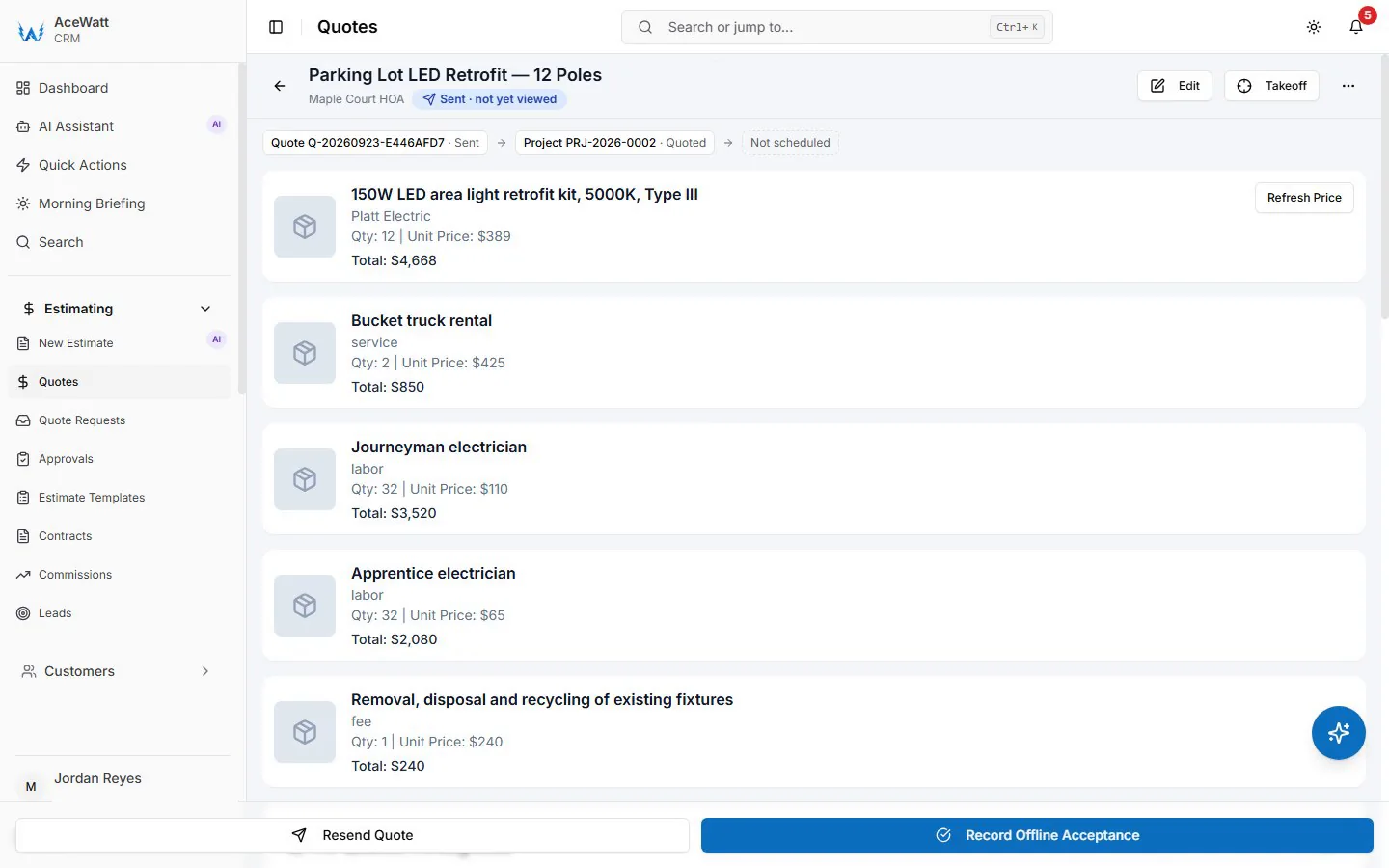
- AI Estimating prices material and labor from your rates, drafts quotes for your review from job walks, photos or uploaded plan sets, handles change orders, and produces customer-ready proposals.
- AI Voice and Job Walk Documentation captures scope, photos, and approvals during the walk, so billing backup exists before the work starts.
- Automated Follow-Up emails reminders on overdue invoices at 1, 7, 14 and 30 days late without the owner picking up the phone.
- Crew Scheduling and Dispatching assigns jobs, while Job Tracking records actual hours and materials against the estimate.
- Invoicing and Payment Tracking builds T&M invoices from field data and milestone (percentage-of-completion) invoices on projects.
- QuickBooks-Ready Exports hand your bookkeeper the invoice list as a spreadsheet and payroll hours as a QuickBooks-format CSV; full sync is in development.
Because it is designed as small electrical contractor software rather than a generic field service product retitled for the trade, the estimating defaults, quote markups, and milestone billing match how electrical work is actually billed.
How to Switch to an Integrated Estimating and Accounting System Without Losing Job History
Migration scares more contractors than pricing does. It should not, if you sequence it:
- Freeze the old cycle cleanly. Bill out and close every job currently in progress in your old tools, or plan to import open jobs only.
- Keep history where it lives. Historical invoices and payments stay in QuickBooks. You do not need five years of them in the new platform; you need customers, open estimates, open receivables, and your price book.
- Import the foundation. Load your customer list, labor rates, material pricing, and standard assemblies first.
- Run one parallel billing cycle. Use the new system for two weeks of live jobs while old records remain accessible for reference.
- Train field documentation first. Get techs logging hours, materials, photos, and voice notes before cutover, because the quality of automated invoicing depends on the quality of field input.
- Enable QuickBooks sync last. Turn on the sync, reconcile the first month, and verify job costs land in the right accounts.
Done in this order, no job history is lost, and within one billing cycle the double entry stops.
The Bottom Line
The best accounting and estimating software for small electrical contractors in 2026 is not the longest feature list. It is the system that closes the loop: estimate approved, work documented as it happens, invoice generated from that documentation, and books updated automatically. Every gap you close between those steps is unbilled labor, unrecorded material, and owner time you get back.